
Seems Safari’s cache is corrupted on my Mac, several of the WordPress admin pages look like this:
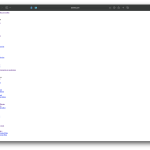
Corrupted Safari cache when viewing WordPress Admin page.
To get around this issue, I’m temporarily using Microsoft Edge, which seems to work fine.
I tried erasing Safari’s cache for my schwie.com domain and then quit/restarted Safari:
Go to Safari > Settings > Privacy and click Manage Website Data.
– In the search bar, type the name of your website.
– Select it and click Remove.
Restart Safari and check the WordPress admin panel
– Close and reopen Safari to ensure the changes take effect.
– Revisit your WordPress admin panel to see if the changes are now reflected.
But the above instructions didn’t seem to resolve the issue in Safari. More aggressive action with Safari may be necessary, but I’m reluctant to try it now.
** Update 11-26-2025 **
I found a better fix to this, maybe getting closer to resolving this issue. In Safari’s settings and then Privacy, you can delete the Website Data for a specific website, this still didn’t help. I then tried emptying the cache through the Developer menu, this still didn’t help. Ultimately, I found that holding down the Shift key and then choosing
“Reload Page” by navigating to View->Refresh Page has WordPress admin pages rendering properly in Safari again – yes! Oddly, I have to do this one time for ever admin page that loads improperly, but the change then seems to stick for future visits.
** Update 12-5-2025 **
Oh dear, this fix stopped working today. Will report back later when I figure out a lasting workaround/repair.